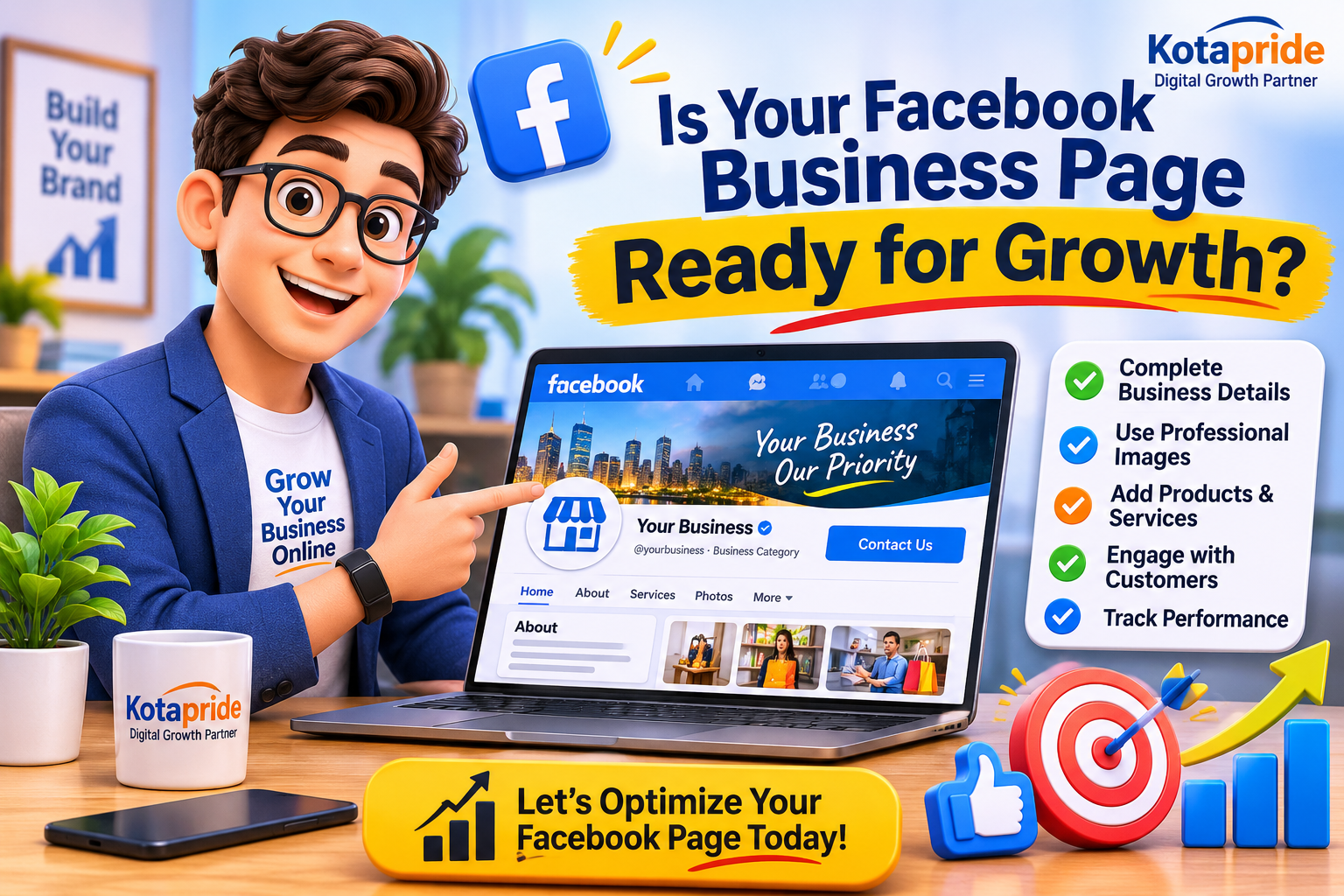
How to Create & Optimize a Facebook Business Page for Business Growth
Complete Facebook Page Setup Guide: Essential Details, Settings, Common Mistakes & Optimization Tips | Kotapride
Today, Facebook is more than just a social networking platform. It has become an important digital marketing platform where businesses can showcase their products and services, connect with potential customers, build brand awareness and generate business enquiries.
Whether you own a retail shop, restaurant, hotel, manufacturing unit, coaching institute, real estate company, salon, startup or any other business, having a professional Facebook Business Page can help you establish your online identity.
However, simply creating a Facebook Page is not enough.
Many business owners have Facebook Pages but fail to maintain them properly. Some Pages have incomplete business information, outdated contact details, no professional cover image, incorrect categories, inactive timelines or no clear way for customers to contact the business.
As a result, potential customers may visit the Page but leave without making an enquiry.
In this guide, Kotapride – Your Digital Growth Partner explains how to create a professional Facebook Business Page, what information you should fill in, how to optimize an existing Page and which important things every business owner should keep in mind.
Whether you are creating your first Facebook Page or improving an existing one, this guide will help you build a stronger business presence on Facebook.
1. Why Does Every Business Need a Facebook Business Page?
If you are a business owner and want to grow your business online, Facebook can become an important part of your digital marketing strategy.
A professional Facebook Business Page helps your business:
- Build Online Identity: Give your business a professional presence on one of the world’s most widely used social media platforms.
- Reach Potential Customers: Introduce your products and services to people who may be interested in your business.
- Build Customer Trust: Share business information, real photographs, customer experiences and regular updates.
- Generate Business Enquiries: Allow customers to contact you through Messenger, WhatsApp, phone calls or your website.
- Showcase Products and Services: Publish product photographs, service details, offers, videos and business updates.
- Promote Your Business: Use Facebook advertising to reach selected audiences based on available targeting options.
- Connect with Customers: Respond to questions, comments, feedback and messages.
- Understand Performance: Use available Page insights and Meta Business Suite tools to understand audience engagement and content performance.
Remember, a Facebook Page is not just a place to upload photographs. It should work as a digital business profile that helps visitors understand your business and take the next step.
2. How to Create a Facebook Business Page Step by Step
Creating a Facebook Business Page is relatively simple. You can create one using a computer or the Facebook mobile application.
Step 1: Log in to Your Facebook Account
First, open Facebook and log in using your personal Facebook account.
You need a personal profile to create and manage a Facebook Page. However, your business should be represented through a separate Facebook Page rather than using a personal profile as the business identity.
Step 2: Open the Pages Section
After logging in:
- Open the Facebook menu.
- Find the Pages section.
- Select Create Page or Create New Page.
- Follow the instructions displayed on your screen.
The exact menu names may change depending on the Facebook application, device and account interface.
Step 3: Enter Your Business Page Name
Your Page name is one of the most important elements of your business identity.
Choose a name that customers can easily recognize.
For example:
- Sharma Electronics
- Royal Furniture House
- ABC Garments
- Kota Digital Academy
- Sunrise Hotel & Restaurant
Important Tips:
- Use your actual business or brand name.
- Avoid unnecessary keywords and promotional slogans in the Page name.
- Keep the name consistent with your website and other social media accounts.
- Avoid frequently changing your Page name.
Step 4: Select the Correct Business Category
Facebook asks you to select a category that describes your business.
Choose the most relevant category according to your actual business activities.
Examples:
- Restaurant
- Clothing Store
- Shopping & Retail
- Education
- Digital Creator
- Advertising Agency
- Hotel
- Beauty Salon
- Real Estate Company
- Manufacturing Company
Selecting the correct category helps visitors understand what your business offers.
If Facebook allows multiple categories for your Page, select only those that accurately represent your business.
Step 5: Write a Professional Business Bio
Your Bio is a short introduction to your business.
It should clearly explain:
- What does your business do?
- Which products or services do you offer?
- Where is your business located or which areas do you serve?
- What should customers do to contact you?
Example:
ABC Furniture House offers premium home and office furniture in Kota, Rajasthan. Explore quality furniture, customized designs and affordable solutions. Contact us for product details and enquiries.
Keep your Bio simple, informative and customer-focused.
Step 6: Complete Your Facebook Page
After creating the Page, Facebook provides options to add business details, images, contact information and other relevant information.
Do not leave important fields incomplete. A properly completed Page gives visitors a better understanding of your business.
3. What Information Should You Fill in on Your Facebook Business Page?
This is one of the most important parts of Facebook Page setup.
Many businesses create a Page but do not complete the About and business information sections.
Here are the important details you should check and fill in.
1. Business Name
Enter your correct business name.
Your Facebook Page name should match the name customers recognize from your shop, office, website, packaging or other business communication.
2. Username and Facebook Page URL
Create a simple and memorable username for your Page whenever the option becomes available.
For example:
facebook.com/yourbusinessname
A professional username makes it easier to share your Facebook Page link on:
- Visiting cards
- Business websites
- WhatsApp messages
- Email signatures
- Product packaging
- Advertisements
- Other social media platforms
Try to maintain the same brand username across different platforms wherever possible.
3. Profile Picture
Your Facebook profile picture represents your business whenever you publish a post, comment or interact with customers.
For most businesses, a professional company logo is the best option.
Keep these things in mind:
- Use a high-quality logo.
- Avoid blurry or pixelated images.
- Make sure the logo is clearly visible in a circular crop.
- Maintain consistent branding across platforms.
- Avoid unnecessary text and decorative elements.
4. Facebook Cover Photo
Your Cover Photo is one of the first visual elements visitors notice when they open your Page.
Use this space to communicate your business identity.
Your cover image can include:
- Business name and logo.
- Main products or services.
- Important business highlights.
- Website address.
- Contact information, where appropriate.
- A clear brand message.
For example, a restaurant can showcase its food and dining experience, while a manufacturer can display its products and production capabilities.
Important: Design your cover image carefully so that important information remains visible on both desktop and mobile devices.
5. Business Description
Write a detailed description explaining your business.
Include:
- Business introduction.
- Products and services.
- Business location or service areas.
- Industry experience, if relevant.
- Important business specialities.
- Website and contact information.
Write naturally for customers. Avoid stuffing unnecessary keywords into the description.
6. Business Phone Number
Add your active business contact number.
Before publishing it, check that:
- The number is correct.
- Incoming calls are answered.
- Customers can easily contact your business.
- The number is updated if your business contact details change.
If you use a separate business number, make sure it remains accessible to your team.
7. WhatsApp Business Number
If your business accepts customer enquiries through WhatsApp, connect the appropriate WhatsApp Business account wherever the feature is available.
This can make it easier for interested customers to start a conversation.
Make sure the connected number is active and monitored regularly.
8. Business Email Address
Use a professional business email address instead of an unrelated personal email wherever possible.
For example:
This gives customers another way to contact your business.
9. Website URL
If your business has a website, add its correct URL.
Your website can provide more detailed information about your products, services, pricing, business profile and enquiry options.
Before adding the link, check that the website opens properly on mobile devices.
10. Business Address and Location
If you operate a physical shop, office, showroom, hotel, restaurant or other customer-facing establishment, add your correct business address.
Also check:
- City and state.
- PIN code.
- Map location, wherever available.
- Service areas, if your business operates in multiple locations.
For businesses that provide services at customers’ locations, use the appropriate service-area information rather than publishing a private residential address.
11. Business Working Hours
Add your actual opening and closing hours.
For example:
Monday to Saturday: 10:00 AM – 8:00 PM
Sunday: Closed
If your business operates on Sundays or follows different timings, update the schedule accordingly.
Incorrect working hours can create a poor customer experience.
12. Services and Products
Where these sections are available, add your important products and services.
For every service or product, try to provide:
- Name.
- Clear description.
- Relevant photographs.
- Price, if appropriate and accurate.
- Important features.
- Enquiry or purchase information.
A visitor should not have to guess what your business offers.
13. Call-to-Action Button
A Call-to-Action (CTA) button encourages visitors to take the next step.
Depending on your business and the features available, you may choose options such as:
- Call Now
- Send Message
- Book Now
- Contact Us
- Learn More
- Shop Now
Choose the button according to your business objective.
For example:
A restaurant may prefer Book Now, while a service provider may prefer WhatsApp or Call Now.
14. Connect Instagram and Other Relevant Business Accounts
If your business is active on Instagram, consider connecting the relevant Instagram professional account through Meta’s available account-management tools.
This can help streamline certain publishing, messaging and advertising activities.
Make sure you connect the correct business accounts.
4. Already Have a Facebook Business Page? Check These Important Things
If your Facebook Page was created months or years ago, do not assume that everything is correct.
Your business may have changed, your contact details may be outdated, or your Page may no longer represent your current products and services.
It is important to review your existing Page regularly.
Here is a practical Facebook Business Page Audit Checklist.
Facebook Page Audit Checklist
1. Check Your Business Information
- Is your business name correct?
- Is your Page username professional?
- Is your Bio updated?
- Is your business description complete?
- Are your phone number and email address correct?
- Is your website link working?
- Is your business address accurate?
- Are your working hours updated?
2. Check Your Profile and Cover Images
- Is your current business logo visible?
- Is the logo outdated?
- Does the cover photo represent your current business?
- Is the design professional?
- Are the important details readable on mobile devices?
3. Check Your Products and Services
- Have you added all your important services?
- Are your products properly displayed?
- Are old products or discontinued services still listed?
- Are prices and offers accurate?
- Are product photographs clear and relevant?
4. Check Your Posts and Content
- When did you publish your last post?
- Are you posting regularly?
- Are your photographs and graphics professional?
- Are your posts relevant to your target customers?
- Do your posts clearly explain your products and services?
- Are you sharing customer experiences and business updates?
5. Check Customer Communication
- Are you responding to Messenger enquiries?
- Is your WhatsApp connection working?
- Are customer comments receiving replies?
- Are your contact details easy to find?
- Have you configured suitable automated responses, where available?
6. Check Your Page Security
- Do you know who has access to your Facebook Page?
- Are former employees still managing the Page?
- Have you reviewed the access permissions of marketing agencies and other team members?
- Is two-factor authentication enabled on the relevant personal accounts?
- Is your Page connected to the correct Meta Business Portfolio, where applicable?
Never share your personal Facebook password with employees or marketing agencies. Give people the appropriate Page or business access according to their responsibilities.
7. Check Your Page Performance
Use the available Meta Business Suite and Page insights to review:
- Reach.
- Engagement.
- Post performance.
- Audience interactions.
- Video performance.
- Messages and enquiries.
These insights help you understand which content is attracting attention and where your marketing strategy needs improvement.
5. What Should You Update on an Existing Facebook Page?
After completing your audit, prepare a list of improvements.
Here are some important updates that can make your Page more professional.
Update 1: Replace Outdated Branding
If your logo, business name, services or visual identity have changed, update your Facebook Page accordingly.
Maintain consistent branding across Facebook, Instagram, LinkedIn and your website.
Update 2: Improve Your Cover Photo
Your cover photo should communicate what your business does.
Avoid using random images or outdated promotional banners.
Create a professional design that highlights your business identity and important services.
Update 3: Rewrite Your Business Description
If your current description is too short or unclear, rewrite it.
Explain what you offer, whom you serve and how customers can contact you.
Update 4: Update Contact Details
Remove outdated phone numbers, email addresses and website links.
Customers should always find the correct contact information.
Update 5: Add New Products and Services
If your business has introduced new products or services, update the relevant sections.
For example, a clothing store may add its latest collection, while a coaching institute may add new courses and admission details.
Update 6: Update Your Action Button
Check whether your existing CTA button is helping visitors take the desired action.
If your main objective is generating WhatsApp enquiries, choose the appropriate messaging option where available.
Update 7: Publish a Professional Introduction Post
Create a pinned introduction post that tells visitors:
- Who you are.
- What your business offers.
- Where you operate.
- Why customers should consider your business.
- How they can contact you.
This is particularly useful for visitors who discover your Page for the first time.
6. What Type of Content Should You Publish on Your Facebook Business Page?
Creating and optimizing a Page is only the beginning.
To maintain an active business presence, you need a proper content strategy.
Do not use your Facebook Page only for promotional advertisements.
Publish a balanced mix of informative, engaging, educational and promotional content.
Here are some content ideas for different businesses.
For Retail Shops and Showrooms
- New product arrivals.
- Product photographs.
- Latest collections.
- Product demonstrations.
- Customer feedback.
- Festival-related updates.
- Special announcements.
For Restaurants and Hotels
- Food and menu highlights.
- Restaurant photographs.
- Customer experiences.
- Special menus.
- Dining ambience.
- Events and celebrations.
- Location and booking information.
For Manufacturers and Wholesalers
- Product catalogues.
- Manufacturing capabilities.
- Product specifications.
- Factory photographs.
- Quality control processes.
- Industry updates.
- Dealer and distributor enquiries.
For Coaching Institutes
- Course information.
- Faculty introductions.
- Student achievements, with appropriate consent.
- Admission announcements.
- Educational tips.
- Exam preparation content.
- Important academic updates.
For Service-Based Businesses
- Service explanations.
- Work samples.
- Customer testimonials.
- Before-and-after examples, where relevant.
- Frequently asked questions.
- Educational posts.
- Service-related offers.
For Startups and New Businesses
- Brand introduction.
- Founder story.
- Product launches.
- Business milestones.
- Behind-the-scenes content.
- Customer feedback.
- Company updates.
Content Tip: Focus on the information your target customers actually want to see. Consistency, relevance and quality matter more than publishing random posts every day.
7. Common Facebook Business Page Mistakes You Should Avoid
Many businesses create Facebook Pages but make mistakes that reduce their professional appearance and customer engagement.
Avoid these common problems:
- Creating a Page without completing business information.
- Using a personal photograph instead of a recognizable business logo.
- Uploading an outdated or low-quality cover image.
- Selecting an unrelated business category.
- Leaving the About section incomplete.
- Not adding a working phone number or website.
- Using an incorrect business address.
- Not updating working hours.
- Publishing promotional content without useful information.
- Ignoring customer messages and comments.
- Leaving the Page inactive for several months.
- Not reviewing Page access and security.
- Using misleading offers or inaccurate business information.
- Spending money on advertising before preparing the Page properly.
- Expecting immediate sales without a proper enquiry and follow-up process.
A well-maintained Facebook Page can support your marketing activities, but actual business results also depend on your products, services, audience, content, advertising strategy and customer handling.
8. Facebook Business Page and Digital Marketing: How Do They Work Together?
A Facebook Page should not work in isolation.
It becomes more useful when connected with your overall digital marketing strategy.
Consider these important digital marketing activities:
Facebook Marketing: Build brand awareness and communicate with potential customers.
Instagram Marketing: Showcase products, services, visual content and brand personality.
WhatsApp Business: Handle customer enquiries, provide information and maintain communication.
Website Development: Give your business a dedicated online platform where customers can explore detailed information.
Search Engine Optimization (SEO): Improve your website’s visibility in relevant search engine results.
Google Business Profile: Help eligible local businesses manage their information and improve their visibility in Google Search and Maps.
Content Marketing: Publish useful information that answers customer questions and builds credibility.
Paid Advertising: Reach selected audiences through suitable advertising campaigns.
The objective should be to create a connected digital presence where customers can discover your business, understand your offerings, build trust and contact you.
9. How Often Should You Review Your Facebook Business Page?
Your Facebook Page should not be treated as a one-time setup.
Business information, products, services, contact details and customer expectations change over time.
Follow a simple maintenance routine:
- Weekly: Review messages, comments, enquiries and recent content.
- Monthly: Check business information, website links, contact details and Page performance.
- Quarterly: Review branding, products, services, content strategy and Page access.
- Whenever Business Details Change: Immediately update your contact information, address, working hours, services and other relevant details.
A regular review helps ensure that your Facebook Page continues to represent your business accurately.
10. How Kotapride Can Help You Create and Improve Your Facebook Business Page
Creating a Facebook Page is easy, but building a professional and consistent online business presence requires planning, content, branding and regular attention.
Many business owners are busy managing their daily business operations and do not have enough time to manage their digital presence.
This is where Kotapride can help.
Kotapride – Digital Growth Partner provides digital marketing and online branding solutions to help businesses strengthen their digital identity.
Our services include:
- Facebook Business Page Creation and Setup.
- Facebook Page Optimization.
- Instagram Business Profile Setup.
- Social Media Profile Management.
- Professional Business Content Writing.
- AI-Powered Content and Visuals.
- Festival Content Planning.
- Business Listings and SEO Content.
- Website Development.
- Local SEO Services.
- YouTube Channel Creation and Optimization.
- Digital Branding and Online Business Presence.
Whether you are starting a new business, launching your first Facebook Page or improving an existing business profile, a properly planned digital presence can help you communicate more professionally with potential customers.
Frequently Asked Questions (FAQs)
1. Is creating a Facebook Business Page free?
Yes. Creating a Facebook Business Page is free. You can add business information, publish posts and connect with customers without paying a Page creation fee. However, paid advertising and certain additional services may involve charges.
2. Can I create a Facebook Business Page without a personal Facebook account?
You generally need a personal Facebook profile to create and manage a Facebook Page. Your business can have a separate public Page that represents the company or brand.
3. What information is required to create a Facebook Business Page?
You should prepare your business name, relevant category, short Bio, business description, logo, cover photo, phone number, email address, website, business address and working hours. Some fields depend on the Page category and available features.
4. What should I write in my Facebook Business Page Bio?
Your Bio should briefly explain what your business offers, where you operate and how customers can contact you. Keep it simple, clear and relevant to your target audience.
5. Is a Facebook Business Page necessary for a small business?
A Facebook Page can be useful for small businesses because it provides a platform to showcase products and services, communicate with customers and build an online identity. Its usefulness depends on your target audience and marketing objectives.
6. What is the difference between a Facebook Profile and a Facebook Page?
A Facebook Profile represents an individual, while a Facebook Page represents a business, organization, brand or public identity. Businesses should use a Page for their official business presence.
7. How can I make my existing Facebook Business Page look professional?
Update your profile picture, cover photo, Bio, business description, contact details, website, working hours, products, services and CTA button. Also publish relevant content regularly and respond to customer enquiries.
8. Why is my Facebook Business Page not generating enquiries?
Possible reasons include incomplete business information, unclear services, irrelevant content, inactive posting, poor-quality visuals, incorrect contact details or a lack of a clear enquiry process. Review your Page and marketing strategy to identify the actual problem.
9. How frequently should I post on my Facebook Business Page?
There is no fixed posting frequency that works for every business. Start with a realistic and consistent content schedule. Focus on useful information, relevant visuals and customer engagement instead of publishing low-quality posts just to increase posting frequency.
10. Should I add my WhatsApp Business number to my Facebook Page?
If your business handles customer enquiries through WhatsApp, connecting your WhatsApp Business account can make communication easier. Always verify that the correct business number is connected and monitored.
11. Can I change my Facebook Business Page name later?
Facebook provides options to request a Page name change, subject to its policies and approval process. It is better to select the correct business name when creating your Page.
12. Can I manage my Facebook and Instagram accounts together?
Yes. Eligible connected business accounts can use Meta Business Suite to manage several activities, including content publishing, messaging and performance insights. Available features depend on the accounts and their settings.
13. Does having a Facebook Page automatically increase sales?
No. Creating a Page does not guarantee sales. Business growth depends on several factors, including product quality, pricing, audience targeting, content, customer trust, marketing strategy and follow-up.
14. How can Kotapride help with Facebook Business Page creation and optimization?
Kotapride provides digital branding, Facebook Page setup and optimization, social media management, content creation, website development and SEO services. We help businesses develop a more professional and organized online presence.
Give Your Business a Professional Online Identity with Kotapride!
Is Your Facebook Business Page Really Ready to Represent Your Business?
You may already have a Facebook Page, but is it properly optimized?
Does it have the correct business information, professional branding, updated contact details, relevant products and services, an effective CTA button and engaging content?
Or are potential customers visiting your Page without understanding what your business offers?
It’s time to review, improve and strengthen your business’s digital presence.
Whether you are creating a new Facebook Business Page or want to improve your existing one, Kotapride can help you take the right steps towards professional online branding and digital growth.
Kotapride – Your Digital Growth Partner
Our Digital Marketing & Branding Services:
- Facebook & Instagram Management
- Professional Business Content & Visuals
- Digital Branding & Business Profile Setup
- Website Development
- SEO & Local SEO
- Business Listings & Online Visibility
- YouTube Channel Creation & Optimization
- WhatsApp Business API Solutions
Why Choose Kotapride?
- 15 Years of Experience
- 1000+ Projects
- Digital Marketing & Online Branding Solutions
- Focus on Business Visibility and Growth
Don’t let an incomplete or outdated Facebook Page become a missed opportunity for your business.
Get your Facebook Business Page reviewed and take the next step towards building a stronger digital identity.
Contact Kotapride Today!
Call / WhatsApp: 9828036274
Website: https://www.kotapride.com
https://www.socialmediamarketingkota.in
Email: Online@kotapride.com
Office: 621, Mukesh Plaza, Near S.S. Dairy, Dadabari, Kota, Rajasthan.
Kotapride – Digital Visibility First. Every Business Should Have Its Own Digital Voice.
google buisness profile link for kotapride kota: https://maps.app.goo.gl/iWQE5h56qioeXakw5
Follow Kotapride on Social Media:
Kotapride Facebook Account:-https://www.facebook.com/kota.pride.3
Digital Marketing Experts In Kota Facebook Page:-https://www.facebook.com/digitalmarketingexpertsinkota
Cyber Safety Tips Facebook Page:-https://www.facebook.com/Letsfollowcybersafetytips
Kotapride Instagram Account:-https://www.instagram.com/kotapride/
Digital Marketing in Kota Instagram Account:-https://www.instagram.com/digitalmarketinginkota/?hl=en
Digital Marketing In Kota Rajasthan Linkedin Account:-https://www.linkedin.com/in/digital-marketing-in-kota-rajasthan-4a8a4616a/
Ignition Growth Pinterest Account:-
https://in.pinterest.com/Ignitiongrowth123/
Kotapride X Account:-
https://x.com/PrideKota83359
Digital Marketing Agency in Kota Rajasthan Tumblr Account:-
https://www.tumblr.com/digital-kotapride-blog